Fingerprint entry
Allow enrolled users to unlock using a fingerprint, with capacity for up to 100 fingerprint users according to the supplied product details.

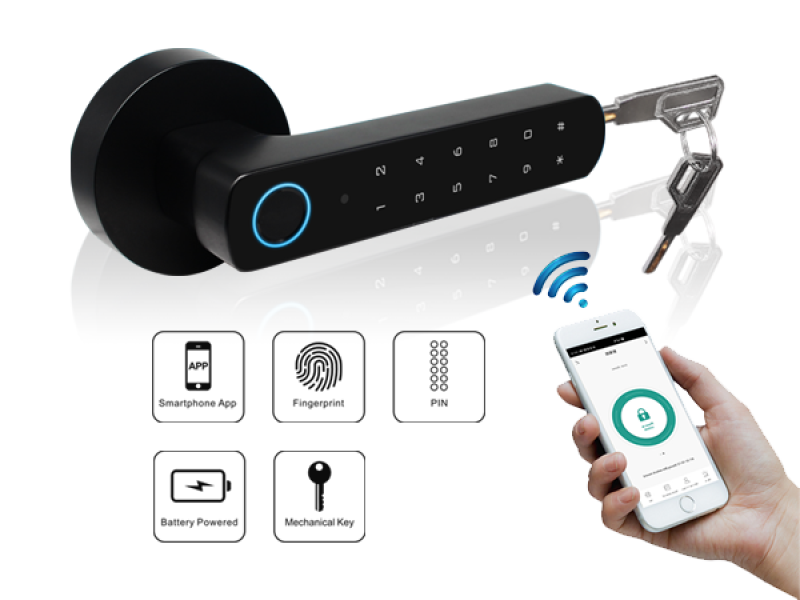
The Luchismart Biolock (LCB01) is a Bluetooth smart lock designed for convenient everyday access. Use fingerprint and PIN credentials, supported mobile access, and a backup mechanical key for homes, offices, hospitality spaces and short-let properties.

Bring convenient entry management to spaces where physical keys can be difficult to share, track or manage. Biolock combines multiple credential options with a compact wireless lock design.
Allow enrolled users to unlock using a fingerprint, with capacity for up to 100 fingerprint users according to the supplied product details.
Support PIN-based entry with 4–6 digit codes and capacity for up to 155 PIN users. Manage credential sharing according to your property’s access policy.
Use the Luchismart mobile app for supported mobile access, with a stated capacity of up to 100 mobile users.
The LCB01 is described as a wireless Bluetooth smart lock, providing a convenient credential-based option for compatible doors.
Runs on AAA batteries, so normal lock operation does not depend on a continuous mains electricity connection.
A USB emergency power port and backup mechanical key provide alternative access options when required.
Explore the Luchismart Biolock product views and review the supplied specification before selecting it for your door or property.

Choose access methods that suit the people who use your property and the way you manage it.
Provide household members with convenient fingerprint or PIN access, while retaining a mechanical-key backup.
Support guest and service access workflows where the lock’s supported credentials and property operating process are a good fit.
Consider the Biolock for suitable doors and operational requirements. Confirm door compatibility and guest-access integration before deployment.
Offer staff an alternative to shared physical keys, using enrolled credentials and defined access procedures.
For broader access administration and attendance workflows, ask about compatibility with Luchismart cloud software.
Review credential capacity, battery maintenance, door type and day-to-day user turnover before choosing the right installation.
A practical path from choosing the lock to setting up your users.
Share your door type, thickness, installation location and intended use so the team can help confirm suitability.
Decide who needs fingerprint, PIN or supported mobile access and whether cloud software integration is required.
Follow the product manual and setup guidance, then test normal entry and the emergency access options.
Important details to consider before choosing the Luchismart Biolock LCB01.
Talk to Luchismart about your door type, user capacity and property requirements. Request a quotation and confirm the right configuration before deployment.